Guide11 Jun 20265 min read
How I got my Google Play developer account from Nepal
Personal or organization, why my Nabil Bank dollar card was rejected before the $25 payment finally worked, identity verification and the 12-tester rule.
- google-play
- play-console
- android
- flutter
- nepal
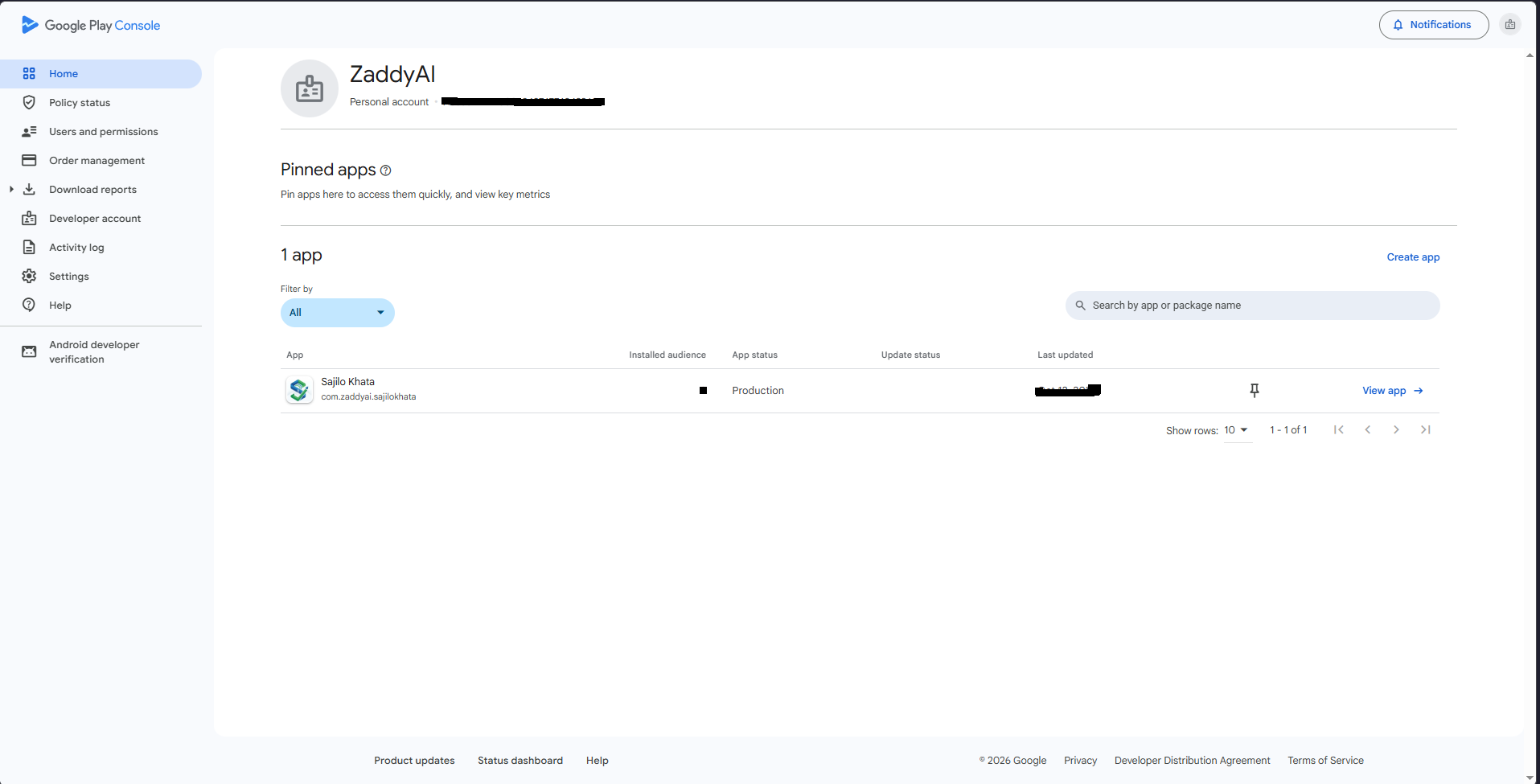
Before I could publish Sajilo Khata, I needed a Google Play developer account. It looks like a five-minute signup, but it hides a few decisions: personal or organization, how to pay, an identity check, and, for new personal accounts, a testing requirement that decides your whole launch timeline. The hardest part for me was not the form but the payment: my Nepali dollar card was rejected several times before it finally worked. This post covers what I learned, with the Nepal-specific parts called out.
Personal or Organization?
Google offers two account types. The biggest practical difference is the testing requirement: a personal account created after November 13, 2023 must run a closed test with at least 12 testers, opted in continuously for 14 days, before it can apply for production access. That rule is aimed at personal accounts, so many people with a registered business choose an organization account to avoid it. The trade-off is that organization verification asks for business details and usually takes more paperwork.
- Personal: for solo developers. You verify with a government-issued photo ID, and the 12-tester, 14-day closed test applies to you.
- Organization: for a registered business. Verification is based on the organization's details, and the closed-test rule does not apply.
What to prepare before you start
- A Google account you will keep for publishing, with 2-Step Verification turned on.
- To be at least 18 years old.
- A credit or debit card that can pay $25 USD internationally.
- A government-issued photo ID for identity verification.
- A phone number and email you can receive codes on.
- A real Android phone, because new personal accounts also go through device verification.
Step by step
- Open the Play Console sign-up page and sign in with the Google account you chose.
- Choose Personal or Organization.
- Enter your developer name (it is public, so choose one you are happy to show) and your contact details, then verify your email and phone.
- Accept the Developer Distribution Agreement and Console Terms of Service.
- Pay the one-time $25 registration fee.
- Submit your identity documents and wait for verification.
- Track the status from the All apps page; Google emails the account owner when it finishes.
Paying the $25 fee from Nepal: my card was rejected
The fee is one-time, not yearly, and Google takes it by credit or debit card. If Google later decides your information is invalid, the fee is not refunded, so check every detail before you pay. For us in Nepal, the real question is whether your card works for international USD payments.
This was the hardest part of the whole process for me. I tried to pay with my Nabil Bank dollar card, and the payment was rejected multiple times. I had filled in everything correctly, so the form was not the problem, and retrying did not change anything.
Instead of trying again and again, I emailed the bank and asked about the rejections. With their help, and a fix on their side, my next attempt went through and I paid the $25.
The lesson: if your Nepali dollar card is rejected, stop retrying and contact your bank. A card that works for other things can still be blocked for this payment, so ask the bank directly. These are the questions I would ask them:
- Is international (foreign currency) payment enabled on my card?
- Are online or e-commerce transactions enabled?
- Is there a per-transaction or daily limit that blocks a $25 payment?
- Can you see the declined attempts on your side, and what reason do they show?
Identity verification
Google says verification takes roughly three business days, and you get a limited number of attempts. While you wait you can still use many Console features to prepare your app. One failure cause worth knowing: the account type on your payments profile must match your developer account type, so do not mix an organization payments profile with a personal developer account, or the reverse. Accepted documents vary by country, and Google publishes a page called Required documents by country and region.
The catch for new personal accounts
Even after verification, a new personal account cannot publish publicly yet. You must first run a closed test with at least 12 opted-in testers for 14 continuous days, then apply for production access. If any tester drops out and you fall below 12, the countdown can be affected, so recruit more than the minimum. Budget about three weeks for a first launch, and start recruiting testers before your app is finished. The next post covers the full release process.
Mistakes worth avoiding
- Assuming a Nepali dollar card will work on the first try. Check international payments with your bank before you start, and if a payment is rejected, contact the bank instead of retrying.
- Creating the account with a throwaway Google account you may lose access to.
- Choosing the wrong account type and having to redo verification.
- Submitting blurry or cropped ID photos, or details that do not match your documents.
- Leaving tester recruitment until the app is done, which adds weeks to your launch.